CRM integrations: Stripe, Google, Telegram and API
Enquiries from website forms and Facebook Lead Ads arrive as leads, customers pay invoices by card through Stripe or PayPal, and the REST API with webhooks links CRMiUS to your other systems. From $100 a month, 14 days free.
Which integrations does CRMiUS have?
CRMiUS connects to Stripe and PayPal for online invoice payments, Google Workspace (Google Calendar and Gmail over IMAP), Telegram, Facebook Lead Ads and Slack. Forms on your website send enquiries straight into the CRM as leads, and IP telephony logs calls on the customer card. Anything else connects through the REST API and webhooks.
- Stripe and PayPal: the customer pays the invoice online, the payment is recorded against it
- Google Workspace: Google Calendar and Gmail mailboxes over IMAP
- Facebook Lead Ads and website forms: every enquiry becomes a lead with its source
- Telegram chat module, Slack and IP telephony with call logging
- REST API and webhooks: your shop, ERP, accounting or BI read and write CRM data
Price: plans from $100 a month (Basic, Google Workspace integration included), Advanced $150, Corporate priced individually; 10% off with annual payment. A service outside this list is scoped with you before any work starts. 14-day free trial with full access, no bank card. Compare plans
Integration table: what is exchanged and where it lands
One row per connection: what travels between the service and CRMiUS, and where you find it in the CRM.
| Integration | What is exchanged | Where it lands in CRMiUS |
|---|---|---|
| Stripe, PayPal | Online card payment of an invoice; the payment comes back to the CRM | The invoice and its Payments tab, status Paid; the customer portal |
| Google Calendar | Calendar events of the team | The staff calendar in CRMiUS |
| Gmail (IMAP) | Mail of the connected mailboxes | The mailbox inside the CRM; mail to the support address becomes a ticket |
| Facebook Lead Ads | Answers from lead-ad forms | A new lead on the kanban board, source Facebook Lead Ads |
| Website forms | Fields of the enquiry form on your site | A new lead with its source on the kanban board |
| Telegram | Chat messages through your company's Telegram bot | The Telegram chat module |
| Slack | Connection to your team's Slack workspace | Configured together with you at setup |
| IP telephony | Calls dialled from the card and their outcome | Call log, notes and reminders on the lead or customer |
| REST API | Leads, customers, invoices and other CRM records, read and write | Any module; the exchange is built by your developer or our team |
| Webhooks | CRM events sent to your URL | Your shop, ERP, accounting or BI |
How data moves between CRMiUS and your services
Enquiries, mail and chats come in; payments, calendar, calls and your own systems work with the same records. Everything meets in one database, so a lead from an ad, its invoice and its payment sit on one card.
What each integration does in daily work
Get paid from the invoice
The customer opens the invoice in the customer portal and pays by card through Stripe or PayPal. The payment lands on the invoice; unpaid invoices get payment reminders. More in finance and invoicing.
Catch every enquiry
Facebook Lead Ads forms and the forms on your website create leads with their source, so the lead pipeline shows which channel brought each enquiry.
Plan in the calendar you already use
Google Calendar connects to the CRM calendar, so calls, meetings and deadlines sit next to the rest of the day.
Answer mail next to the customer record
Gmail mailboxes connect over IMAP. Mail to the support address becomes a ticket in customer support; outgoing documents use email templates.
Chat in Telegram
The Telegram chat module connects your company's Telegram bot to CRMiUS, so conversations reach the team in the CRM.
Call from the card
Our team connects your IP telephony; calls are logged with outcome and notes, and the next call can be set as a reminder.
Connect your own systems
The REST API reads and writes CRM records, and webhooks send CRM events to your URL. That is how an online store, ERP, accounting or BI exchange data with CRMiUS.
Automate the next step
Rule-based workflows in process automation update the status, assignee and due date of the team's tasks.
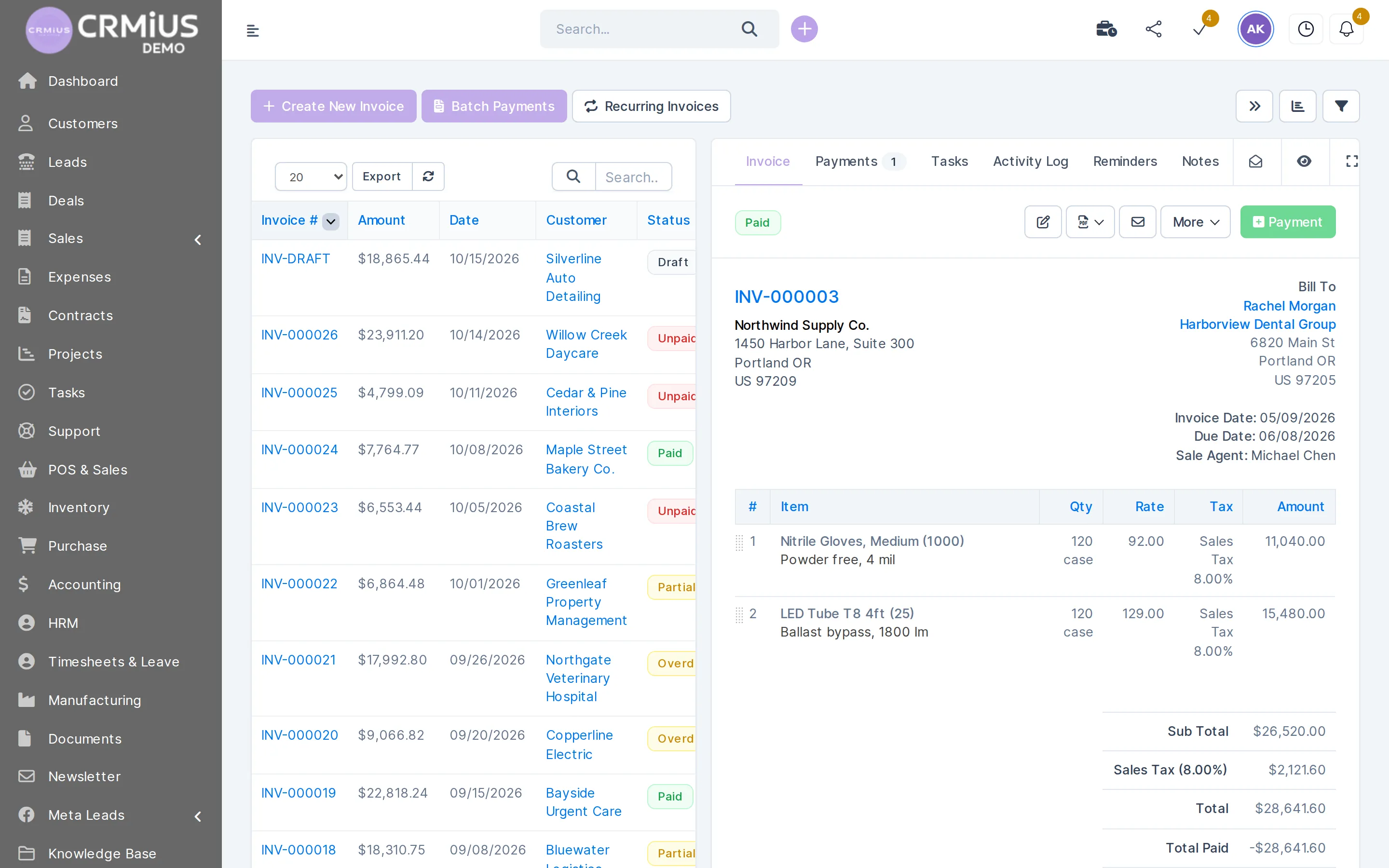
Payment on the invoice
Where an online payment shows up
A screen from the live demo: the invoice carries the status Paid, the Payments tab holds the payment, and the customer, items and taxes stay on the same record.
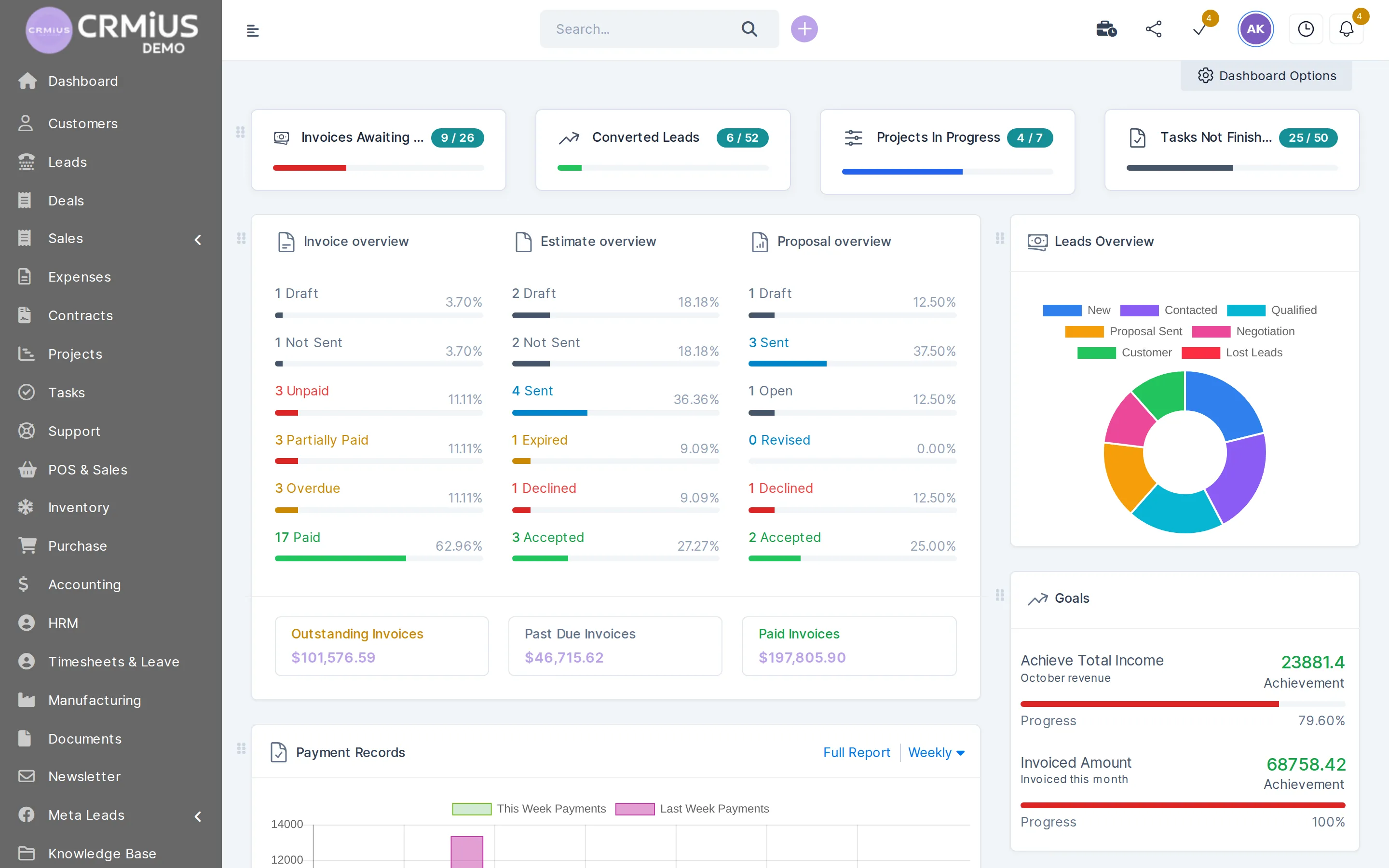
- Paid, partially paid and overdue statuses in the invoice list
- Payments tab with every payment against the invoice
- Payment reminders for unpaid invoices
- The customer sees and pays invoices in the customer portal
How we connect your services
- You list your services: payment system, mailboxes and calendars, ad accounts, messengers and the internal systems the CRM should talk to.
- We switch on the ready integrations: Stripe, PayPal, Google Workspace, Telegram, Facebook Lead Ads, Slack and website forms are configured on your CRMiUS.
- We scope the rest: for your shop, ERP or accounting we agree which data goes through the REST API and webhooks and who builds the exchange.
- You check it on the trial: send an enquiry from your site form, open a test invoice and see where each record lands.
Configuring modules and integrations and team training are CRMiUS additional services; 24/7 technical support comes with every plan. Timing depends on how many services you connect and on your internal systems; in our experience, the ready integrations go first.
To see the CRM side first, open the live demo without sign-up.
Typical integration sets
Online store
Stripe and PayPal on invoices, the REST API and webhooks to the shop, website forms for wholesale enquiries. See CRM for online stores.
Sales team running ads
Facebook Lead Ads and website forms feed the pipeline, IP telephony handles the first call, Google Calendar holds the meetings.
Service company or agency
Google Workspace for mail and calendar, Stripe or PayPal for invoices, Telegram chat with clients and Slack for the team.
Bank or company with core systems
The REST API and webhooks link CRMiUS to the core system; accounts and payments stay there. See CRM for banks.
Modules the integrations feed
Each connection writes into a module you already use.
- Finance and invoicingStripe and PayPal payments land on invoices.
- Sales and leads managementFacebook Lead Ads and website forms create leads.
- Customer supportSupport mail turns into tickets.
- IP telephonyCalls are logged on the card.
- Process AutomationRules update the team's tasks.
- For online storesThe shop exchanges orders through the API.
Questions and answers
Which integrations does CRMiUS have?
Stripe and PayPal for online payments, Google Workspace (Google Calendar and Gmail over IMAP), Telegram, Facebook Lead Ads, Slack, web-to-lead forms for your website and IP telephony with call logging. Anything else connects through the REST API and webhooks.
Does CRMiUS have a REST API and webhooks?
Yes. The REST API lets other systems read and write CRM records, and webhooks send CRM events to your URL so your systems can react straight away.
How do I connect my website to the CRM?
For enquiries, place a web-to-lead form on your site: every submission arrives as a lead with its source. For orders or customer accounts, the site exchanges data with CRMiUS through the REST API and webhooks.
Can customers pay invoices online by card?
Yes, through Stripe and PayPal. The customer pays from the invoice or the customer portal, the payment is recorded against the invoice, and unpaid invoices get payment reminders.
Does CRMiUS work with Google Calendar and Gmail?
Yes. The Google Workspace integration is included from the Basic plan: Google Calendar connects to the CRM calendar, and Gmail mailboxes connect over IMAP to the CRM mailbox and to support tickets.
Can Facebook Lead Ads leads go straight into the CRM?
Yes. Answers from lead-ad forms arrive as new leads with the source Facebook Lead Ads, ready to assign and follow up on the kanban board.
Can I try integrations in the live demo?
The live demo runs a fictional company with locked settings and no outside connections, so integrations are switched off there. Connect your own services during the 14-day free trial.
Can you connect a service that is not on the list?
If the service has an API, it connects through the REST API and webhooks. Our team checks the service and agrees the scope with you before work starts.
Start 14-day free trial
- 14 days free, no card
- from $100 / month
- 30+ connected modules
- 5 interface languages