Retail CRM with POS for shops and store chains
Ring up sales at the till, see the stock of every store, reorder from suppliers and keep each regular customer's purchase history — one system for the shop floor and the office.
What is a retail CRM?
A retail CRM is a system for shops and store chains that keeps the customer base together with sales, stock and purchasing. In CRMiUS the POS module records each sale and takes the goods off that store's stock, the purchase lands in the customer's record, and items at minimum stock go to purchasing. The office sees sales and stock by store without collecting spreadsheets.
- POS sales linked to the customer record and to stock
- Each store is its own warehouse; transfers come from the central warehouse
- Minimum-stock alert for reordering from suppliers
- Sales, payment, customer and stock reports, dashboards with widgets
- Plans from $100 per month, 14 days free without a bank card
Store and back office
What a retail team does in CRMiUS
Sell at the till
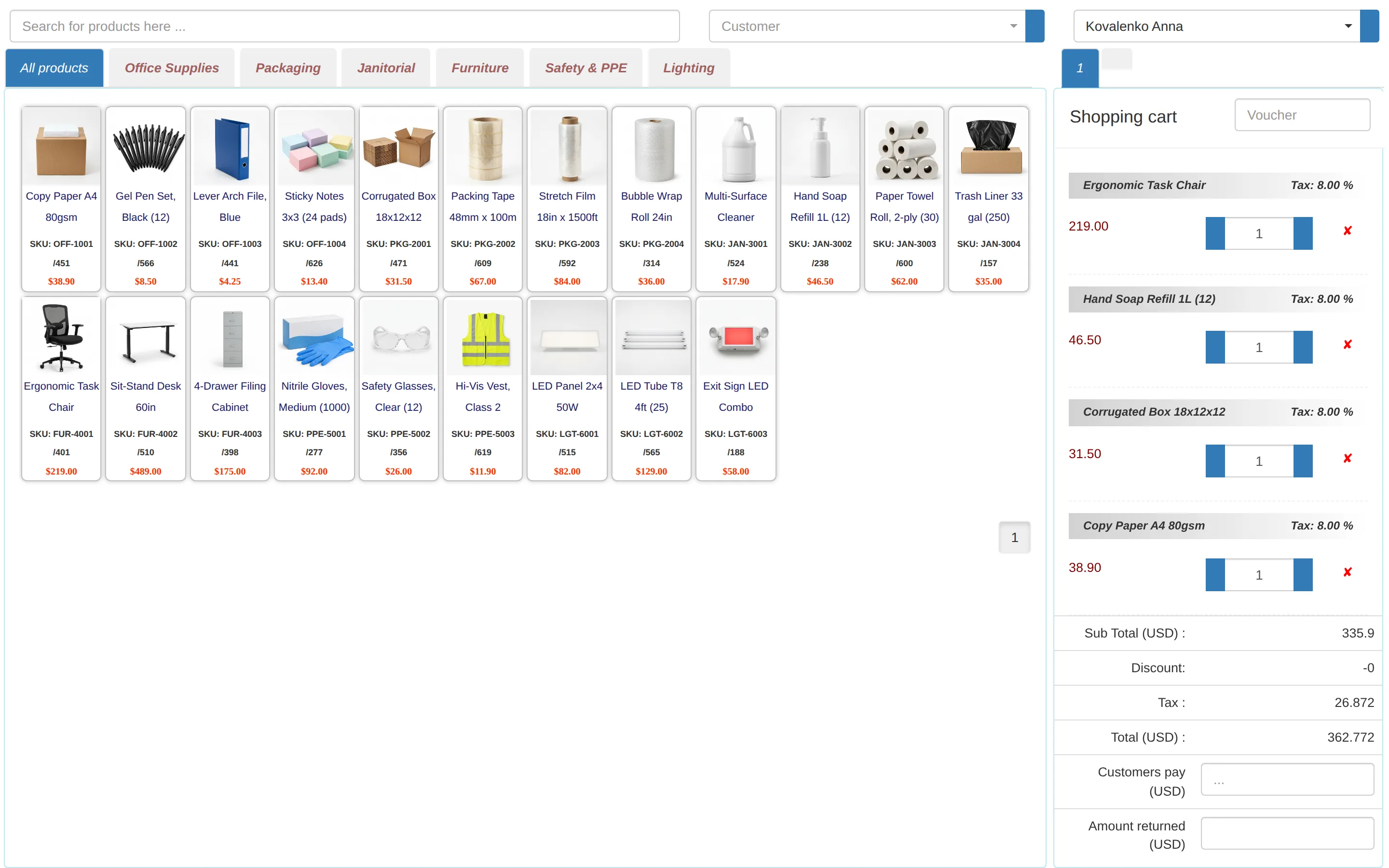
Cashiers pick products by category or search, add the customer and a voucher, and the sale reduces the store's stock.
Stock per store
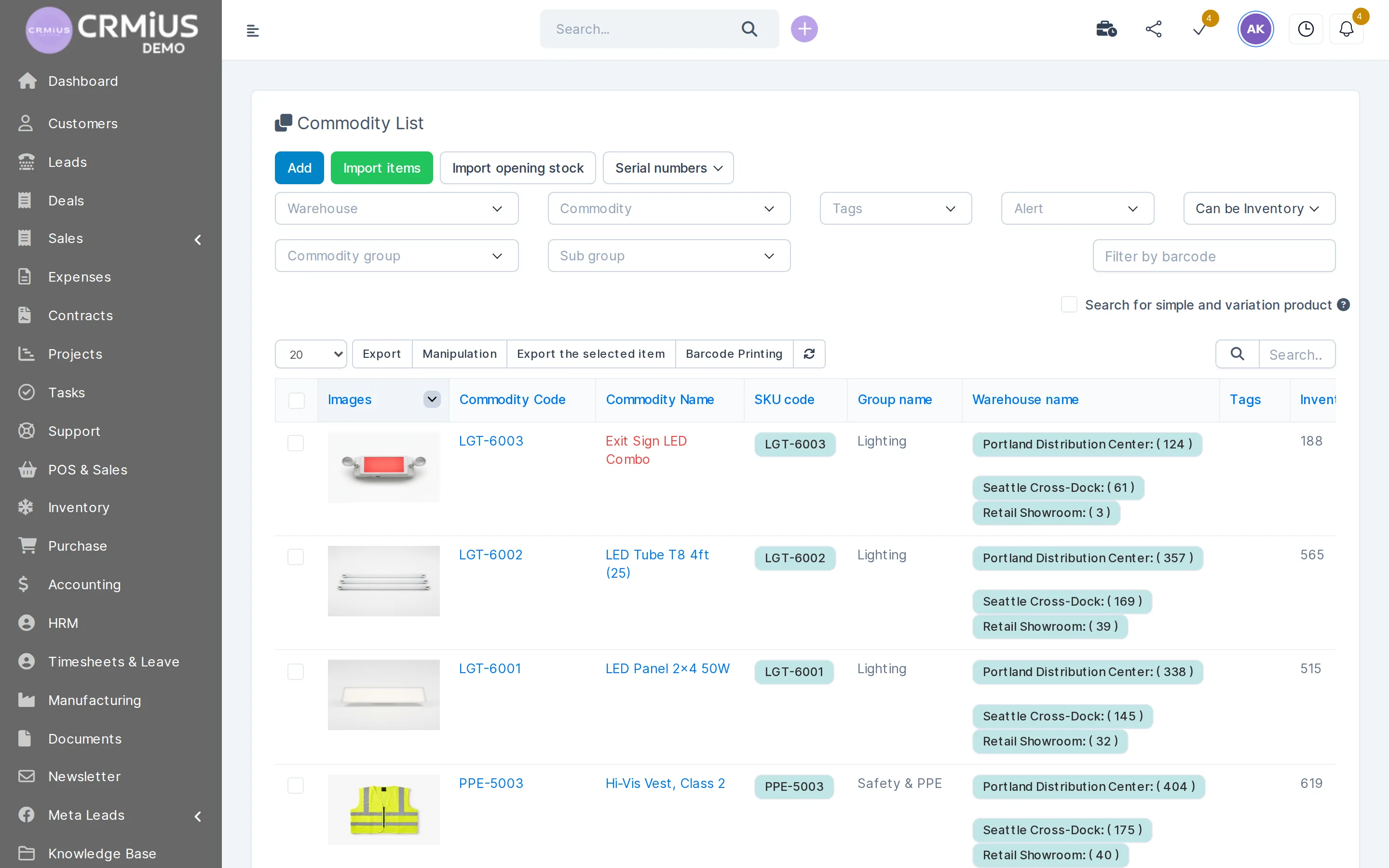
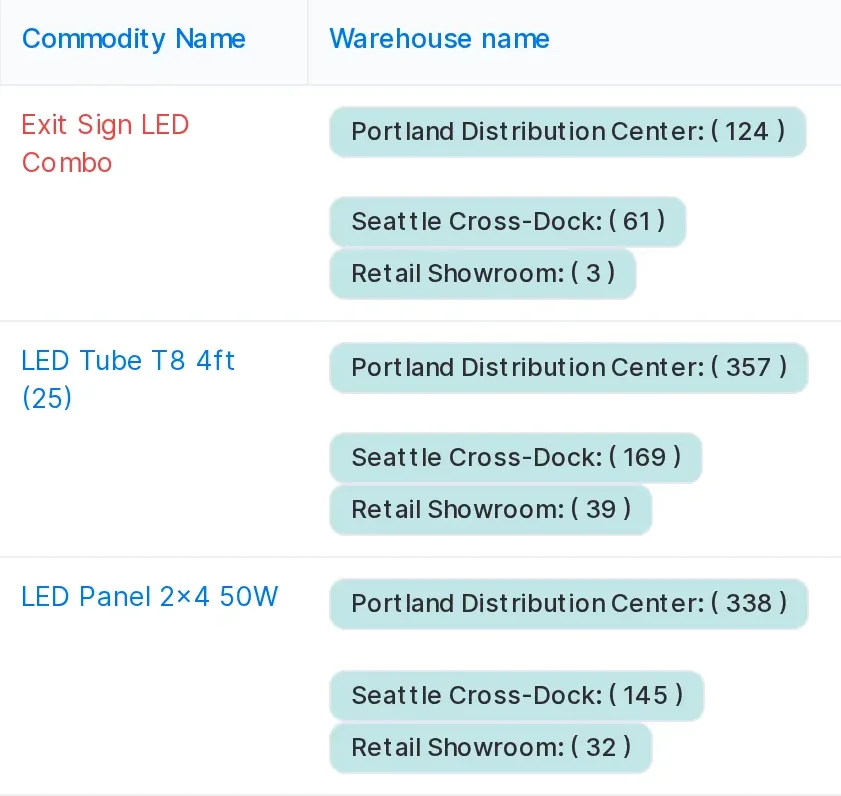
Every store is a warehouse in CRMiUS; the product list shows how many units sit in each store and in the central warehouse.
Transfers between locations
A transfer document moves goods from the central warehouse to a store, and both stock levels update.
Reorders from minimum stock
Min/max levels per item raise an alert; the buyer places the purchase order in purchasing, and the goods receipt is booked against it.
Barcodes, serial numbers, expiry dates
Find products by barcode, print barcode labels, and track serial numbers and expiry dates for goods that need them.
Customer base
Regular customers with contacts, purchase history and groups; MailFlow sends newsletters and offers to a chosen group.
Roles per person
Cashiers, store managers and buyers each get their own permissions, so a store sees its own work.
Reports and dashboards
Sales, payment and customer reports, stock reports by warehouse and dashboards with widgets.
Point of sale
The till writes to the same database as the warehouse
A sale at the POS changes the store's stock and the customer's history at the same moment.
- Product tabs by category and search by name
- Customer picked at checkout, voucher field on the cart
- Tax per line, discount and change due calculated by the till
- The sale appears in sales reports and in the customer's record
How goods move from the supplier to the till
Retail runs in a loop: buy, receive, move to the store, sell, reorder. In CRMiUS each step is a document in one database, so the next step starts from data that is already there.
The warehouse module keeps stock by location with goods receipts, delivery notes, transfers, inventory counts and min/max alerts. The purchase module holds vendors, purchase requests, quotations and purchase orders. Getting ready for Q4? See our Black Friday checklist for retail CRM.
A day in a store on CRMiUS
- 01
Open
The store manager checks stock and the transfers that arrived overnight.
- 02
Sell
Cashiers ring up sales at the POS and attach regular customers to their purchases.
- 03
Reorder
Items at minimum show up on the reorder list for the buyer.
- 04
Close
The day's sales are in the sales reports; the office sees stock across all stores in one product list.
Which retail formats CRMiUS fits
The same modules, switched on in a different mix.
One shop
Till, stock and customer base in one account, with the office work (invoices, tasks, suppliers) next to them.
A chain of stores
Each store is a warehouse; the office moves goods with transfers and sees stock across stores. Chains with POS terminals take the Corporate plan.
Shop plus online store
Store sales and online orders share one customer base and one stock. See CRM for online stores.
Store with a wholesale desk
Estimates, invoices and payment reminders for business customers in the same system as the shop till. See CRM for wholesale distribution.
Retail CRM or POS software: what is the difference?
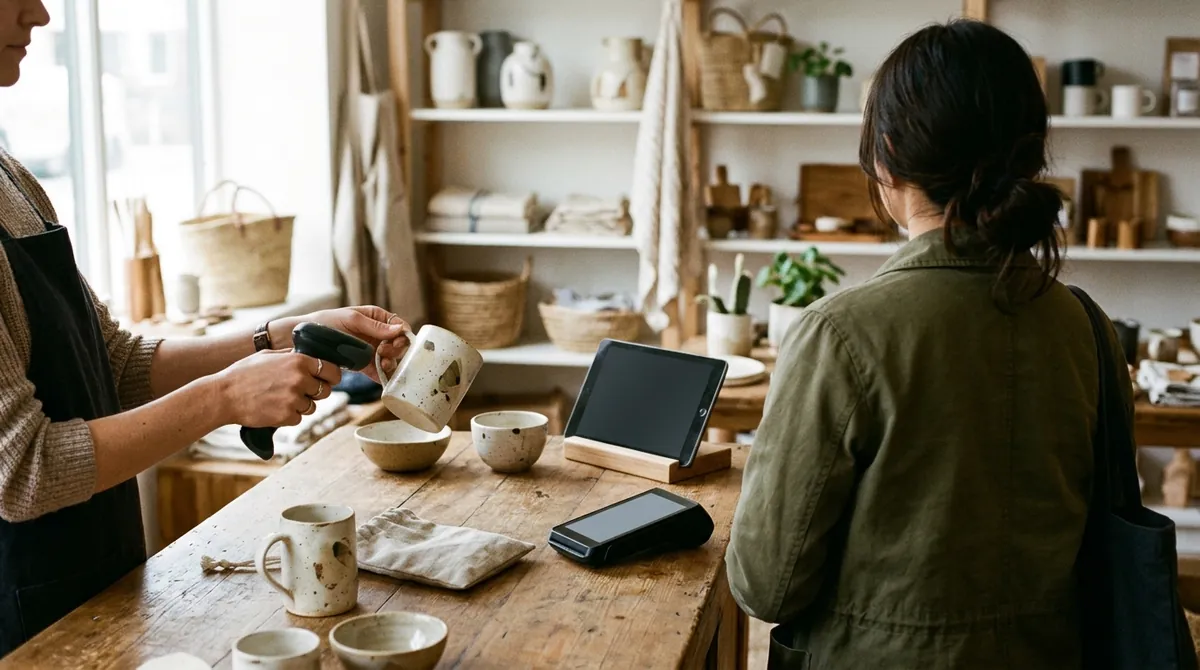
POS software records the sale and the payment at the counter. A retail CRM keeps everything around the sale: who the customer is, what they bought before, which store holds the item and when to reorder it. In CRMiUS the POS is a module of the CRM, so the sale, the stock movement and the customer record are written once.
That matters most for a chain: the stock of one item is split between the central warehouse and the stores, and the same list shows the total.
Retail CRM pricing
Every plan starts with 14 days of full access without a bank card. Annual payment is 10% cheaper, and teams from 10 users get individual terms. Prices in USD.
| Plan | Price | What the plan adds |
|---|---|---|
| Basic | $100 / month | Contact management, tasks and projects, Google Workspace integration, key reports |
| Advanced | $150 / month | Everything in Basic + finance module, time tracking, helpdesk, analytics and dashboards |
| Corporate | individual | Everything in Advanced + POS terminal support, module and interface customization, personal manager, priority support |
Modules a store chain switches on
- Warehouse and inventory managementStock per store, central warehouse, transfers and counts.
- Procurement managementSupplier orders and goods receipts.
- Contact and customer management (CRM)Customer base with purchase history.
- Reports and dashboardsSales and stock reports, dashboards.
- Roles and access rightsRoles for cashiers, store managers and buyers.
- For online storesOnline orders next to store sales.
Questions and answers
What is a retail CRM?
A system for shops and store chains that combines the customer base with sales, stock and purchasing, so the stores and the office work from the same data.
Does CRMiUS have a POS for stores?
Yes. The POS (omni sales) module records sales across channels, including the point of sale, and takes goods off the store's stock. Support for POS terminals is part of the Corporate plan.
Can we run several stores and a central warehouse?
Yes. Each store keeps its own stock, transfers move goods between the central warehouse and stores, and the product list shows stock per location and in total.
What is the difference between a retail CRM and POS software?
POS software handles the sale at the counter. A retail CRM also keeps the customer, the purchase history, stock and reorders. In CRMiUS the POS is part of the CRM.
Can the till recognise regular customers?
The cashier picks the customer at checkout, and the purchase goes into that customer's record. Customer groups and MailFlow newsletters help you send offers to them.
Does it work for a shop that also sells online?
Yes. Store sales and online orders share one customer base and one stock. Details are on the online store page.
How much does a retail CRM cost?
Basic is $100 per month, Advanced $150 per month, Corporate is priced individually and includes POS terminal support. Annual payment is 10% cheaper. Compare plans.
Can I try it before buying?
Open the live demo without sign-up: a fictional company with stock, POS and customers. Or start a 14-day free trial with full access, no bank card needed.
Start 14-day free trial
- 14 days free, no card
- from $100 / month
- 30+ connected modules
- 5 interface languages