CRM implementation: where to start to avoid losing customers
Start with where your customers and open deals live today, then move them so no inquiry waits during the switch. Below: a 7-step plan, what to move first and how to run a pilot inside the 14-day trial.

The riskiest time is the weeks of the switch itself: an inquiry lands in the old spreadsheet nobody checks any more, an open deal arrives in the CRM without an owner, a follow-up date stays in a manager's head. The plan below closes these gaps in the order they appear. It suits a small or mid-size company that moves from spreadsheets, email and messengers to one CRM, and it uses CRMiUS as the example.
Where to start CRM implementation
CRM implementation starts with an inventory: where customers, open deals and new inquiries live today, and who owns each of them. Move active customers and open deals first, give every deal a stage and an owner, and connect inquiry channels before the old spreadsheet closes. Training, reports and extra modules follow once the team works in one system.
- Day one in the CRM: active customers, open deals with a stage and an owner, new inquiries from forms and ads
- A reminder on every open deal, so follow-ups survive the move
- Roles and access rights set before the import
- A pilot with one team inside the 14-day free trial before everyone switches
Why customers get lost during a CRM switch
Five gaps open up when a team moves from spreadsheets to a CRM. Each step of the plan closes one of them.
- Two systems at once
- Part of the team keeps the spreadsheet, and a new inquiry lands where nobody looks.
- Deals without an owner
- After the import an open deal has no responsible person and no next date.
- Inquiries outside the CRM
- Requests keep arriving in personal inboxes, messengers and on managers' phones.
- Duplicates
- The same client is imported twice, and two managers call them on the same day.
- Data entered on Fridays
- The team fills the CRM at the end of the week for the report, so the board is always behind.
CRM implementation plan in 7 steps
The order matters: each step gives the next one clean data to work with. In our experience a small team usually goes through it within the 14-day trial; a company with a warehouse, accounting and several departments needs longer, depending on data volume and integrations.
- 01InventoryWhere customers, deals and inquiries live today and who owns them
- 02Sales stagesYour own lead statuses from inquiry to payment, each with an owner
- 03RolesWho sees and edits which customers, deals and documents
- 04Clean and importDuplicates merged, customers and open deals imported from CSV
- 05Inquiry channelsWeb forms, Facebook Lead Ads and email feed the CRM directly
- 06PilotOne team works only in the CRM for two weeks of the free trial
- 07SwitchEveryone moves, the old spreadsheet becomes read-only
- Every week after launchLead conversion and open tasks reviewed, stages and rules adjusted
Step 1. List where customers and deals live today
Write down every place a customer or an inquiry can sit: the sales spreadsheet, the accounting program, the shared inbox, managers' personal email and messengers, the website form, the phone. For each one note what lives there, who owns it and how often it changes. This list becomes the import plan and shows which channels need a direct connection to the CRM.
Step 2. Describe your sales stages in plain words
Take the last ten won deals and write down the steps they went through, from the first message to payment. That is your pipeline. In the CRMiUS lead management module the board columns are your own lead statuses, each lead keeps its source and its assigned manager, and a won lead converts into a customer with one click. A short list of stages that every manager reads the same way works better than a long one.
Step 3. Set roles before data goes in
Decide who sees which customers before the import, while the base is still empty. A sales manager may see only their own leads, an accountant needs invoices and payments, a store manager sees one location. In CRMiUS permissions are set per staff member through roles and access rights, so a new employee gets the right view from the first login.
Step 4. Clean and import the customer base
Export customers from every source into one table, merge duplicates by phone and email, and agree on one spelling for company names. Then import companies, contacts and open deals from CSV. In the customer and contact module one company can hold several contacts, customer groups and custom fields, so details that lived in spreadsheet columns get their own fields. Archives of closed deals can wait.
Step 5. Connect the channels where inquiries arrive
Every channel left outside the CRM is a place where an inquiry can wait unanswered. Put web-to-lead forms on your site, connect Facebook Lead Ads and route the support inbox into tickets through email piping; Gmail connects through IMAP, and the full list is on the integrations page. If new leads tend to wait for a first call while the team is busy with the switch, the AI voice assistant PilotAI calls each new lead with a phone number and saves the transcript and summary to the lead card.
Step 6. Run a pilot inside the 14-day trial
Pick one team, for example sales, and agree on one rule for two weeks: every inquiry and every deal lives only in the CRM. Every open deal gets a reminder with a date, and rules in process automation set task assignees, due dates and reminders. At the end of the pilot check three things: are all new inquiries in the CRM, does every open deal have an owner and a next date, and does the team find what it needs without the spreadsheet. The trial gives full access without a bank card, so the pilot runs on your real data.
Step 7. Switch everyone and close the old spreadsheet
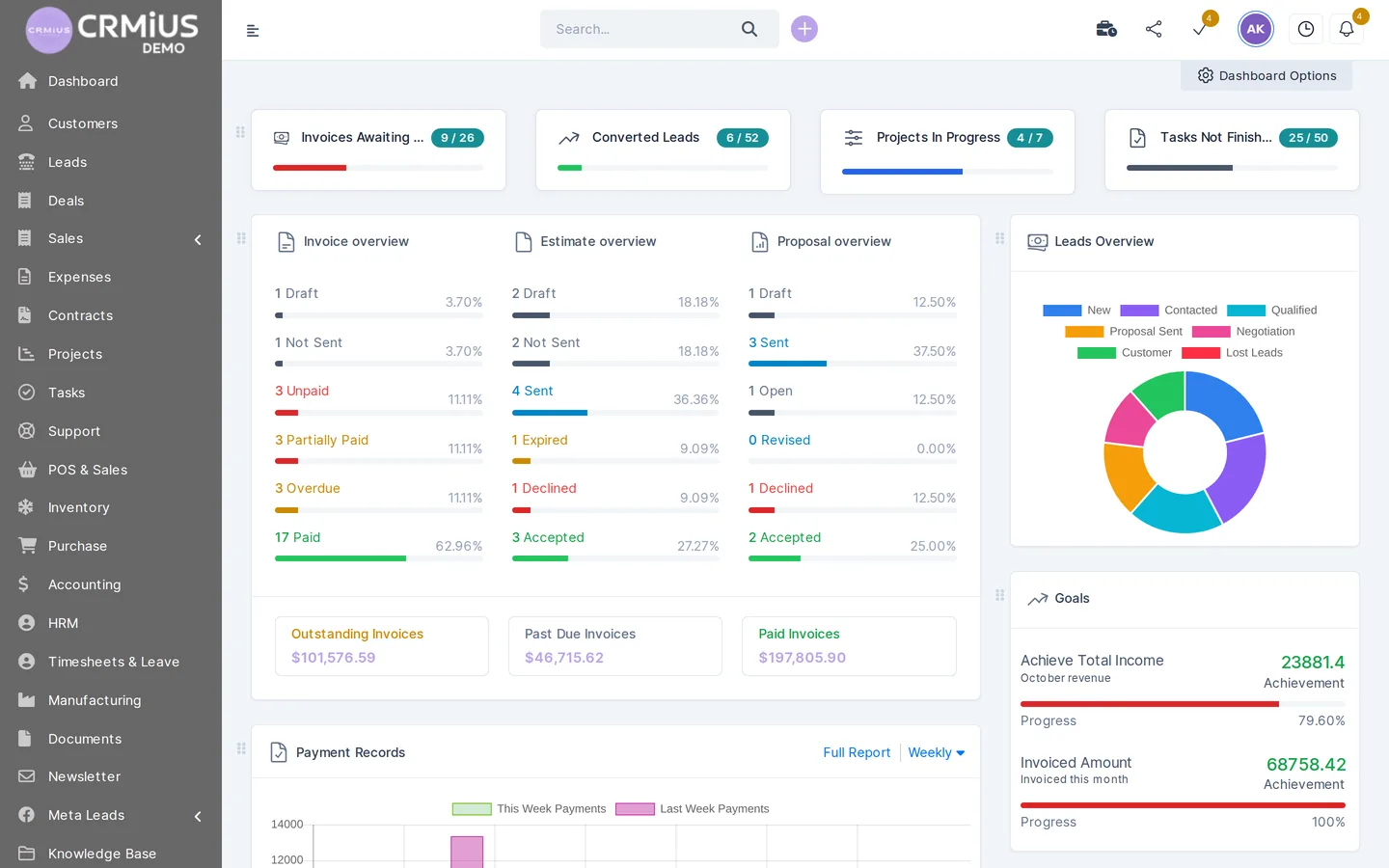
Move the remaining teams on a fixed date and make the old spreadsheet read-only on that day, so nobody adds new records there. From the first week, look at the same report every Monday: lead conversion by source and by manager, invoices awaiting payment and unfinished tasks. CRM reports and dashboards build these numbers from the records themselves, so nobody collects them by hand.
What to move on day one and what can wait
Move first what a customer can be lost on. Everything else follows once the team works in the CRM.
| Data | When | Why |
|---|---|---|
| Active customers and contacts | Day one | Managers answer calls and emails from the customer card |
| Open deals with stage and owner | Day one | A deal without an owner and a date is the first one lost |
| New inquiry channels | Day one | Forms and lead ads write straight to the CRM |
| Items and price list | Before the first proposal | Proposals and invoices are built from the catalogue in the finance module |
| Open invoices and payments due | First week | Payment reminders and the customer statement need them |
| Projects and tasks | When the team moves | Deadlines and owners move with the task module |
| Archive of closed deals | Later | Useful for history, imported once the base is clean |
Notes for stores, service companies and small teams
- Stores and chains
- Start with the item catalogue and the opening stock of each store, then the regular customers. In a retail CRM every sale at the till goes to the customer record and takes the goods off that store's stock, so the till has to be ready on the switch date.
- Service companies
- Start with open projects and their billing: fixed price, hourly or by task hours. CRM for agencies and service businesses shows the path from inquiry to paid invoice.
- Small teams
- In our experience three to ten people can usually go through all seven steps inside the trial. CRM for small business lists the set we switch on for a small team.
Mistakes that cost customers at the start
- Importing everything at once, archives included: the base fills with duplicates and outdated contacts. Move active customers first.
- Leaving the old spreadsheet open for edits: two versions of the truth appear within a week. Make it read-only on the switch date.
- Choosing stages for the report: managers then move cards to please the dashboard. Stages describe what happens with the customer.
- Training the team after launch: people go back to familiar tools. Training comes before the pilot.
- Switching on every module on day one: the team learns ten screens instead of two. Start with leads, customers and tasks.
How CRMiUS helps with implementation
CRMiUS is a modular CRM: leads, customers, sales, tasks, projects, finance, warehouse, purchasing and support in one database. For implementation we offer personalized configuration of modules and interface and team training as additional services, and technical support works 24/7 on every plan. Before you start, you can click through the product in the live demo without registration.
Price: Basic $100 a month, Advanced (Pro) $150 a month, Corporate priced individually. 10% off with annual payment, individual terms from 10 users, 14-day free trial with full access and no bank card. What a CRM costs per year: how much does a CRM cost.
Before implementation, read how to choose a CRM system and what a CRM is and how it boosts sales; for the difference between a CRM and an ERP, see CRM vs ERP. How AI agents change CRM work in 2026: agentic CRM after Dreamforce 2026.
Frequently asked questions about CRM implementation
Where should CRM implementation start?
With an inventory of where customers, open deals and new inquiries live today and who owns them. Then describe the sales stages, set roles, import active customers and open deals, and connect inquiry channels before the old spreadsheet closes.
How long does CRM implementation take?
It depends on the number of modules, the data volume and integrations. In our experience a small team usually works in the CRM within the 14-day trial; a company with a warehouse, accounting and several departments needs longer.
Why do CRM implementations fail?
In our experience, most often because the old spreadsheet stays open, the team is trained after launch, deals arrive without owners and the CRM is filled once a week for the report. Each of these is closed by a step of the plan: read-only spreadsheet, training before the pilot, owner and date on every deal.
Who should lead CRM implementation in a small company?
One person who knows the sales process and has the authority to set rules for the team, usually the owner or the head of sales. Configuration of modules and team training can be ordered from CRMiUS as additional services.
How do we move from Excel to a CRM without losing data?
Export every source into one table, merge duplicates by phone and email, import customers and open deals from CSV and check a sample of records. Make the spreadsheet read-only on the switch date so new records go only to the CRM.
How much does it cost to implement CRMiUS?
Plans cost $100 a month (Basic) and $150 a month (Advanced); Corporate is priced individually, and annual payment gives 10% off. Module configuration and team training are offered as additional services.
Can we test the CRM before implementation?
Yes. The live demo opens a fictional company without registration, and the 14-day free trial gives full access on your own data without a bank card.
Run the first two steps on your own data: import your customers and open deals and see your pipeline in CRMiUS during the free 14-day trial.