How to choose a CRM system: what to look for
A practical way to choose a CRM: start from your sales process, check 12 criteria, test on real inquiries and compare the full yearly cost. Every point links to how it works in CRMiUS.

A CRM gets chosen once and then shapes how the team sells for years. The comparison that helps: which system carries your own inquiries from the first message to payment, at a price you can predict. Below is the order we suggest to customers who compare CRMiUS with other systems.
How to choose a CRM: the short answer
Choose a CRM in four moves: write down your sales stages and the three to five functions the team needs every day, shortlist two or three systems that cover them, run real inquiries through each during a free trial, and compare the full yearly cost for your team. Pick the one your managers actually used in the test.
- Must-haves first: pipeline, customer card, documents and payments, reports
- Test on your own inquiries, with the people who will work in the CRM
- Count the whole year: plan × users, setup, training, extra modules
- Check access rights, backups and support before you sign
Choosing a CRM in six steps
The steps go in this order for a reason: each one narrows the list for the next. In our experience this usually takes two to four weeks; the pace depends on how many people take part in the test.
- 01Describe your sales pathInquiry, qualification, proposal, invoice, payment — the stages a customer really passes
- 02List the must-havesThree to five functions without which the team goes back to spreadsheets
- 03Shortlist two or three systemsOnly those that cover every must-have and show a price
- 04Test on real inquiriesFree trial with your stages, your customers and the managers who will use it
- 05Count the yearly costPlan × users × 12, setup, training, modules you will add within a year
- 06Decide and plan the launchWho imports data, who sets up roles, when the team switches over
A system fails a must-have in step 4 → back to step 3 with the next candidate
CRM checklist: 12 criteria to check
Go through the list during demos and the trial. Tick a point only when you have seen it work on your own data. The right column shows where to check each point in CRMiUS.
| Criterion | What to check | In CRMiUS |
|---|---|---|
| Your own stages, the source and owner of every inquiry, reminders about the next step | Kanban board by status, lead sources, web forms on your site, Facebook Lead Ads, import — sales and leads | |
| Contacts, notes, files, deals, documents and payments in one card | Companies with several contacts, groups, statements, customer portal — customer management | |
| A proposal becomes an invoice without retyping; the customer pays online | Proposals accepted online, estimate → invoice in one click, recurring invoices, Stripe and PayPal — finance and invoicing | |
| Every deal has a next step with a date that the manager can see | Task kanban, checklists, recurring tasks, timers — task management | |
| Conversion by source and by manager without exporting to a spreadsheet | Lead conversion, sales and payment reports, dashboards with widgets — reports and dashboards | |
| Connection to your mail, calendar, messengers, payments and website | Google Workspace, Telegram, Slack, Stripe, PayPal, Facebook Lead Ads, REST API and webhooks — integrations | |
| Managers update deals and tasks away from the office | Web app in any browser and a mobile app — mobile CRM | |
| Who sees which customers; backups; protected connection | Role-based permissions per staff member, SSL, regular backups, activity log — roles and access rights | |
| Routine steps happen by rules, without manual reminders | CRMiUS Automation rules change tasks: status, assignee, priority, reminders — process automation | |
| Warehouse, finance or support work in the same base as sales | Warehouse, purchasing, projects, support, accounting, HR as modules of one base — all modules | |
| Interface in your team’s language, training, support hours | English, Ukrainian, Russian, German, French; team training; support 24/7 on all plans | |
| A clear monthly price and a trial with full access | Basic $100, Advanced $150 a month, Corporate individual; 14 days free, no card — pricing |
Tip: tick the boxes right in your browser while you test, or print the page and take it to vendor demos.
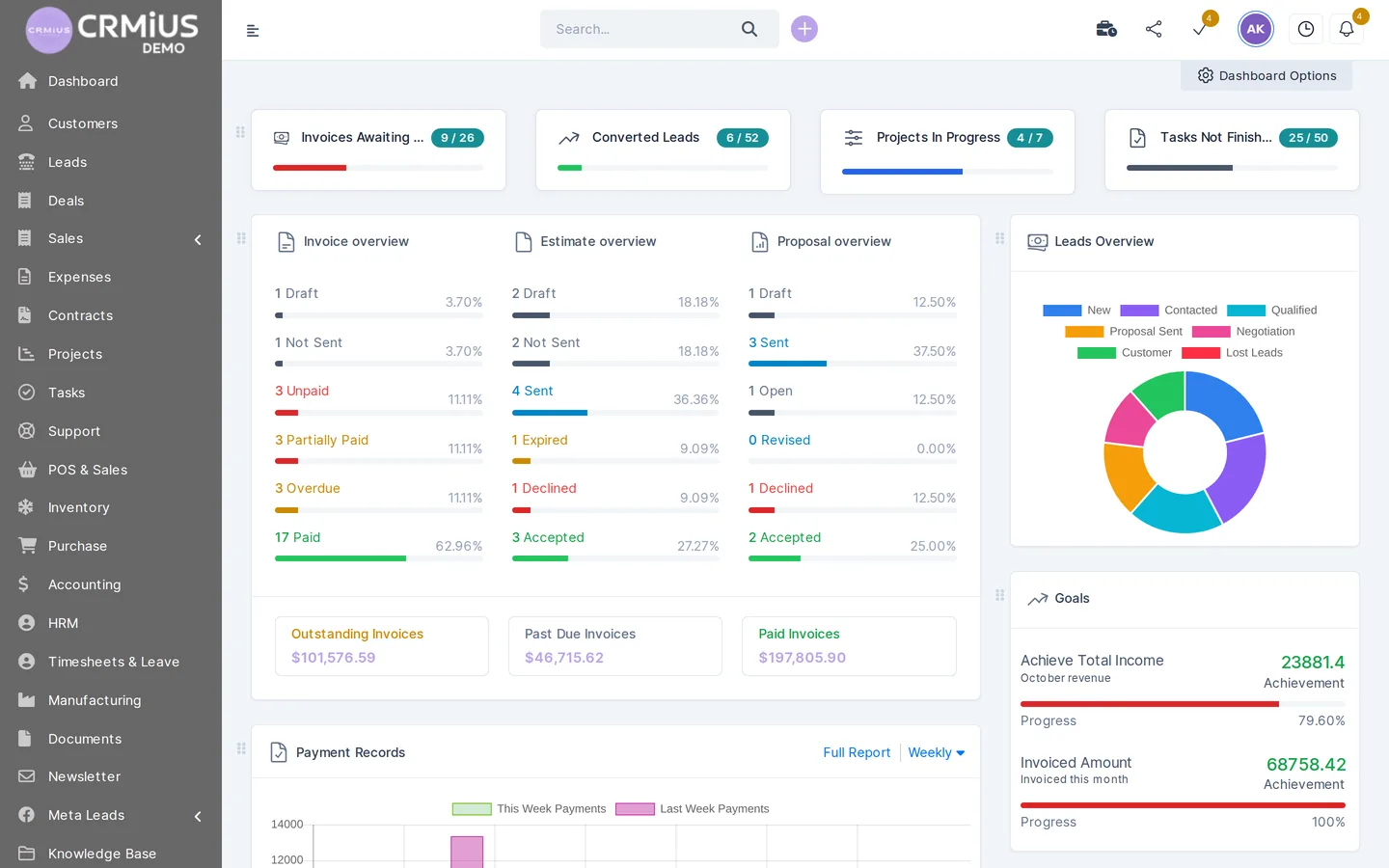
Cloud or on-premises CRM
A cloud CRM opens in the browser: the vendor runs the servers, updates and backups, and the team can start the same day. An on-premises CRM is installed on your own servers; it gives full control over the infrastructure and needs your own staff for updates, security and backups. In our experience, for small and mid-sized companies the deciding questions are who maintains the system and how fast the team can start.
CRMiUS runs in any browser and in a mobile app, so there is nothing to install on the team’s computers. Data is protected by SSL, regular backups and permissions per staff member.
Questions to ask the CRM vendor
- What exactly is included in each plan, and what costs extra?
- Does the trial give full access, and do we need a bank card for it?
- How do we import our current customers and leads from spreadsheets?
- How are roles set up: can a manager see only their own customers?
- How is data protected: connection, backups, access rights?
- Which integrations work out of the box, and is there an API with webhooks?
- Is the interface available in the languages our team uses?
- Who helps with setup and training, and what are the support hours?
- What changes in the price with annual payment or ten and more users?
In CRMiUS the answers are on the pricing page: 14 days with full access and no card, 10% off for annual payment, individual terms from 10 users, setup of modules and interface, team training and 24/7 support.
How to test a CRM in 14 days
A trial shows more than any demo call, provided you run real work through it. This plan fits the 14-day CRMiUS trial and works for other systems as well.
- Open the live demo first. Look through the screens on a ready company with customers, leads and invoices — live demo without sign-up
- Set up your stages and import customers. Create the pipeline from step 1 and load part of your customer base from a CSV file
- Connect the inquiry channels. A form on your website, Facebook Lead Ads, the mailbox the team answers from
- Run real inquiries to payment. Managers keep the test deals only in the CRM: notes, tasks, proposal, invoice
- Review the results. Open the conversion report, go through the checklist above and count the yearly cost
What a CRM costs per year
The monthly price per plan is only part of the sum. Add setup and data import, team training, modules you will need within the year and the time managers spend learning the system. A detailed breakdown with examples is in the guide how much does a CRM cost.
CRMiUS pricing: Basic — $100 a month (contact management, tasks and projects, Google Workspace integration, key reports), Advanced — $150 (adds finance, time tracking, helpdesk, analytics and dashboards), Corporate — priced individually (POS, personal manager, customization of modules and interface, priority support). 10% off for annual payment, individual terms from 10 users. All plans
Every plan starts with 14 days of full access without a bank card. Setup of modules and interface and team training are available as additional services; technical support 24/7 is included on all plans.
Common mistakes when choosing a CRM
Choosing by the longest feature list
Extra modules make the interface heavier for people who need three screens. Compare systems against your must-haves; add modules when a department actually needs them.
Testing on an empty account
An empty pipeline looks neat in any CRM. The weak points show up on real inquiries, real documents and the people who will use the system every day.
Leaving the team out
When only the director tests, managers meet the system on launch day. Include two or three of them in the trial and ask what slows them down.
Forgetting the data move
Customers live in spreadsheets, mailboxes and phones. Check the import on your own file during the test, before the decision.
Counting only the licence
Setup, training and modules added later change the yearly sum. Compare the full cost for the team size you will have in a year.
Which CRM setup fits your company
The checklist stays the same; the weight of each point changes with the business. These pages show the set-ups for typical cases.
- Small team
- Pipeline, tasks, invoices and reminders without a separate IT person — CRM for small business
- Agencies and services
- Projects, timesheets, billing by fixed price or hours, customer portal — CRM for agencies
- Retail and stores
- Point of sale, sales channels, customer history across purchases — CRM for retail
- Wholesale and distribution
- Orders together with warehouse stock and purchasing — CRM for wholesale
- Manufacturing
- Bills of materials, work orders and routings on top of warehouse and purchasing — CRM for manufacturing
- Large companies
- Roles per department, customization, Corporate plan with a personal manager — CRM for large companies
Read also: what is CRM and how it boosts sales, 10 key CRM features, CRM implementation: where to start, CRM vs ERP.
Questions about choosing a CRM
What should you look for when choosing a CRM?
Start with the sales pipeline, the customer card, proposals and invoices, and reports by source and manager. Then check integrations, access rights and backups, mobile access, room for new modules, support, and the full yearly price. Test every point on your own inquiries during a trial.
How do you choose a CRM for a small business?
Pick the system that covers the pipeline, reminders and one customer card at a predictable monthly price, with a trial that gives full access. A small team gains most from simple daily work, so let two managers test it on real inquiries. More on this: CRM for small business.
Cloud or on-premises CRM: which is better?
In our experience, a cloud CRM suits most small and mid-sized companies: it opens in the browser, the vendor handles servers, updates and backups, and the team starts quickly. On-premises fits companies that must keep the infrastructure in-house and have staff to maintain it. CRMiUS works in the browser and in a mobile app.
How much does a CRM cost?
CRMiUS costs $100 a month on Basic and $150 on Advanced; Corporate is priced individually. Annual payment saves 10%, and every plan starts with 14 days free without a bank card. What else goes into the yearly sum is in the guide how much does a CRM cost.
How long should a CRM trial take?
Long enough to take several real inquiries from the first message to payment. In our experience, the 14-day CRMiUS trial is usually enough for a basic pipeline with your stages, a website form and imported customers; a set-up with many modules takes longer.
How do you move data from spreadsheets to a CRM?
Export customers and leads from the spreadsheet to a CSV file and load them through import. In CRMiUS, leads and contacts are imported from CSV, so you can check the move on your own file during the trial.
Can I try CRMiUS without registration?
Yes. The CRMiUS live demo opens a fictional company with customers, leads and invoices, no sign-up needed; the data resets every 6 hours. For a test on your own data, start the 14-day trial.
The quickest way to check a CRM against this list is to run your own inquiries through it. Start the trial or book a demo, and we will show the checklist points on your process.